The PACS Server

The PACS Server
Multilevel authentication options available in Admin/Server settings/Security settings. Allows using email or text messaging to verify a user's credentials.
Note: Text (SMS) messaging requires a U.S. phone number. Nine-digit phone numbers must be entered into the user account settings with no additional characters.
When enabled, the user is sent a confirmation code to the account's registered email address or phone number, which the user must enter before the login completes. If the account has no registered email address or phone number, the user cannot log in.
Reconfirmation is required when the user logs in from a different machine.
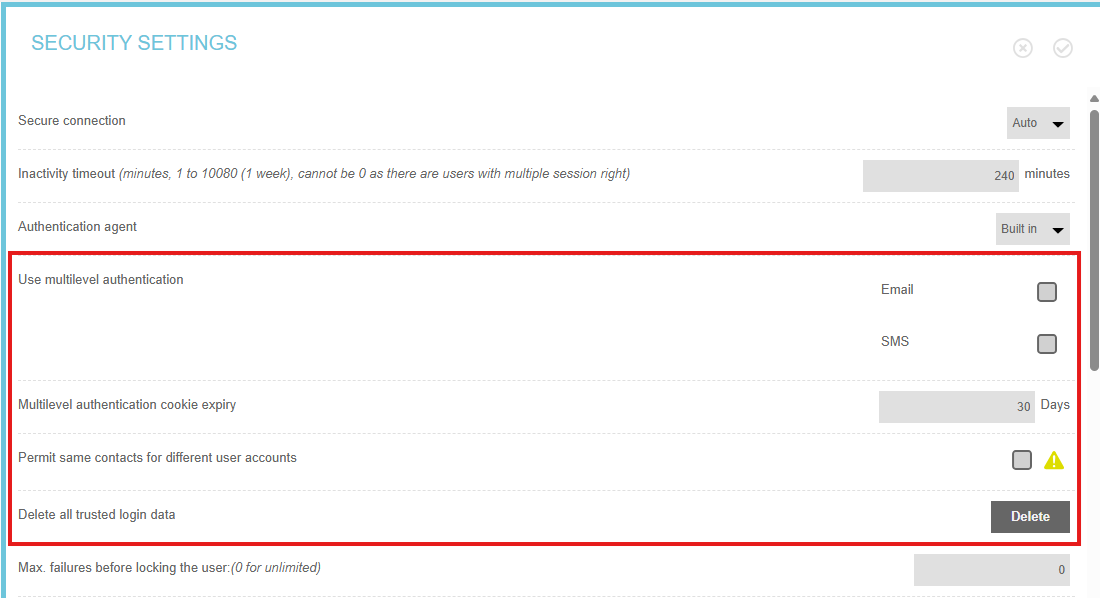
| Option | Default Value | Description |
| User level authentication | Disabled | Supported confirmation methods. Email sends confirmation code to the account's registered email address. SMS sends confirmation code to the account's registered phone number. |
| Multilevel authentication cookie expiry | 30 days | Number of days the user will not need to confirm login from the same workstation |
| Permit same contacts for different user accounts | Disabled | Allow multiple user accounts to use the same authentication email address or phone number.  Warning: Enabling this feature presents a security risk. Warning: Enabling this feature presents a security risk. Click the yellow warning icon to download a CSV file listing all user accounts sharing the same email address or phone number. |
| Delete all trusted login data | Delete | Cookie identifiers are deleted from the database and authentication procedure must be executed again |