 eRAD
PACS Server
eRAD
PACS Server

eRAD
PACS Server
Forwarding studies queues the images, reports, annotations and overlays associated with a study to one or more selected DICOM destinations. Forwarding data to another DICOM device requires Forward/Export rights.
To forward a study:
 icon (if unavailable, check the
selection
icon (if unavailable, check the
selection  box)
box) button at the bottom of the page
to queue the study.
button at the bottom of the page
to queue the study. To forward multiple studies:
icon (if unavailable on worklist
select checkbox)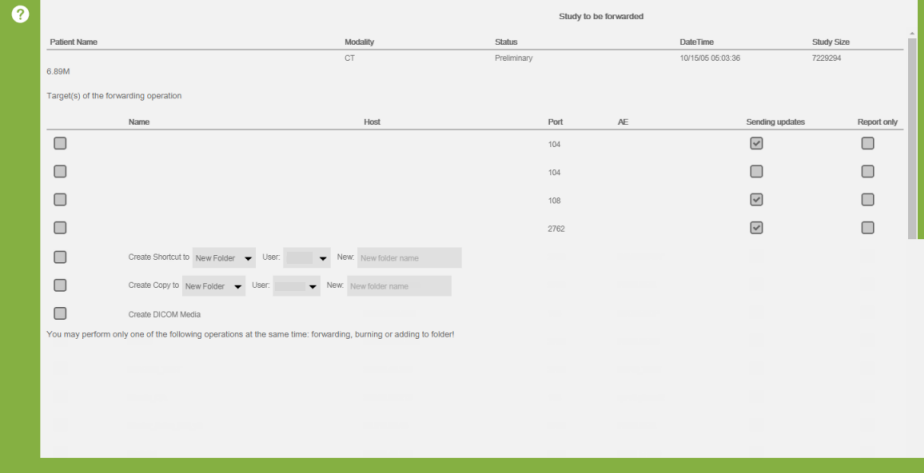 button at the bottom of the page
to queue the studies.
button at the bottom of the page
to queue the studies. By default, all subsequent edits to and new images for the selected studies get forwarded to the destination. The system default setting is set on the Admin/Settings page. A device-specific setting exists on the individual device’s Edit page for customizing this setting for each device.
After a forward request has been initiated, some users may want to track
its status. On the forward status confirmation curtain, a view tasks
button is available  . Click this to open a
pre filtered logs page view with #tasks columns displayed.
. Click this to open a
pre filtered logs page view with #tasks columns displayed.
See Forwarding a series or object