eRAD RIS now supports the Intelerad PACS viewer. It launches images based on MRN and accession number.
Notes:
· The system config MaxRelevantPriors should be set to 0 as ‘relevant studies to open’ is not supported. Prior images can be viewed from within Intelerad PACS by checking the checkbox next to the study, then clicking the down arrow next to the images.
· “Next” workflow is supported.
· “Interrupt workflow” is supported where multiple studies can be opened in dictation windows and switching back and forth between these open studies displays the correct images.
· Prefetching of studies is not implemented.
eRAD PACS version 8 features 3 viewers. These are the full client, the web viewer and the quick viewer. eRAD RIS now supports launching any of those three viewers and not simply the full viewer. For example, technologists and even editors may need to glance at the images, but do not need the full viewer.
User Preference
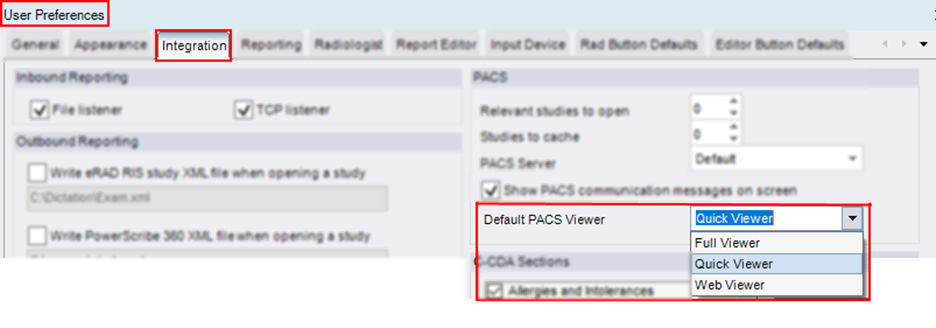
To begin, each applicable user now has a new user preference:
This user preference will set the default state of the many View Images options throughout the RIS. Clicking the existing button will invoke the viewer set by the user preference. In addition, the user will have the ability to dynamically launch one of the other viewers if they occasionally need a different viewer.
For example, on the technologist Perform Exam screen, the View Images button is now a split button. Hitting the down arrow will show the available eRAD viewers, and the user can select an alternate. This might fit the scenario where a technologist normally uses the quick viewer, but on a particular study needs to invoke the full viewer.
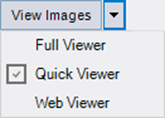
The user preference can be saved from this dropdown by pressing the Control key on the keyboard and clicking the alternate viewer.
The Radiologist’s version of the View Images button (the icon in the reporting screen) also supports the new viewer options, as does the View Images icon from the View Study screen.
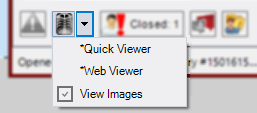
The new viewers are now also enabled on the patient history worklist for any reporting screen as a context menu item as shown below.
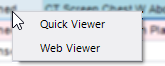
The older default action of double-clicking will still launch the full viewer.
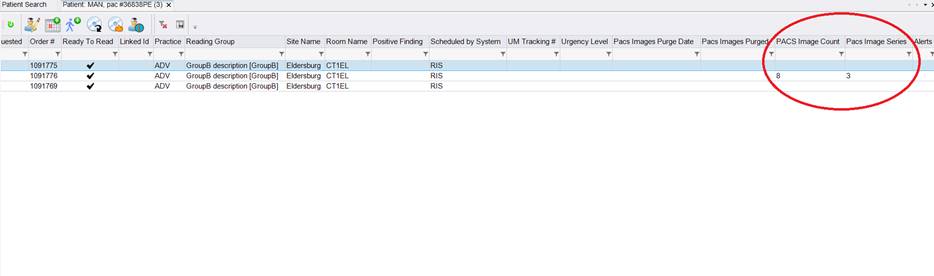
eRAD RIS can now display the Series and Image Count on various worklists. Two new columns were added for this purpose. These columns are labeled PACS Image Countand PACS Series Count. They appear on the following worklists:
- Pending Dictation WL.
- All Pending Dictation WL.
- Patient Folder.
- Mini-Patient Folder in Dictation Window.
These are populated by interfacing to an appropriate PACS update message, so the applicability of this feature to all PACS is not assured until reviewed by the RIS Engineering team to see if such a message exists for a particular PACS vendor.
Example showing these new values: